Freecell vs Windows Freecell
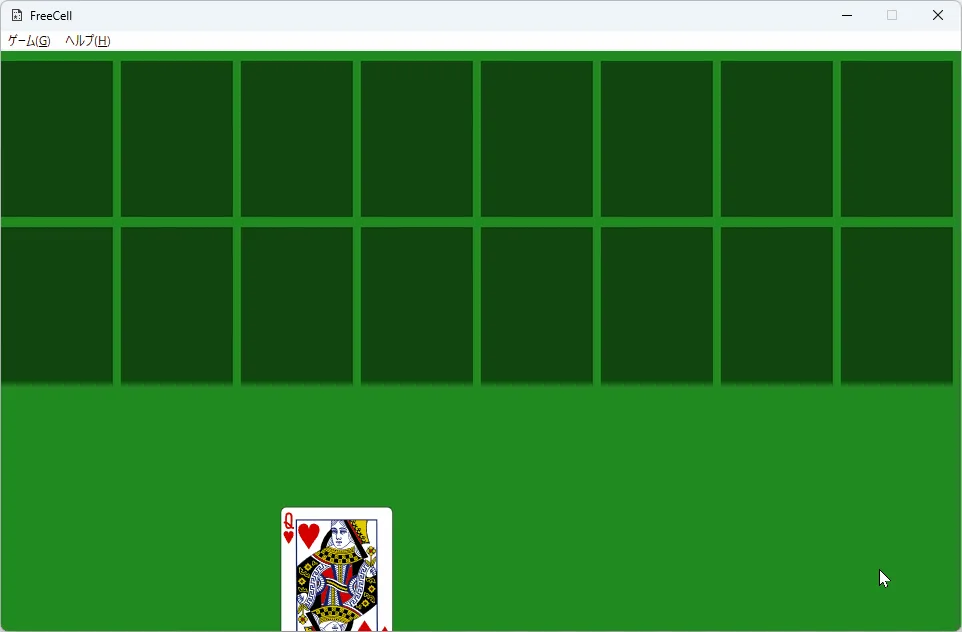
this client comparison is for people choosing between the MIT portable the client.exe and the built-in Windows play habit. It is a desk comparison, not a ranking of Store listings. Prefer the portable when you want a named GitHub asset and readable source. Prefer the inbox board when you want zero download and already trust Microsoft updates.
| Question | the portable exe (ferrellsl) | the inbox board |
|---|---|---|
| Price | Free (MIT) | Free with Windows / Store ties |
| Open source | Yes on GitHub | No |
| Platforms | Windows Freecell_1.0 asset | Windows inbox / Store |
| Offline play | Yes after download | Often yes |
| Signup | No | Account optional for some Store features |
| Resize | Yes (fork feature) | Varies by Microsoft build |
| Update door | GitHub Releases | Windows / Store |
- Prefer the portable exe on the current release tag for the portable path
- No winget or brew id was found for ferrellsl the client
- Scores do not sync between the two clients
- Both can stay installed during a trial week
- Keep one Releases bookmark
- Prove resize once on the main monitor
- Delete adware duplicates from Downloads
When the portable wins
Choose the portable exe when you need a filename for a lab ticket, a USB copy for travel, or MIT source you can audit. The the current release tag tag ships one Windows portable. Cards are embedded, so you do not distribute a separate SVG pack. Resize scales the cascade with the window on this client build.
Install path: Windows install. Releases list: releases. Safety: is it safe.
When the inbox board wins
Choose the inbox board when install rights are missing, when guests only know the Microsoft icon, or when you want zero download. Store-tied features and achievements stay on that path. This guide does not tell you to uninstall Microsoft software; it only maps the portable freecell alternative.
Shared habits
Both clients play freecell with free cells and cascades. Skill transfers. Statistics do not. Write which path is official for demos so a room does not invent a third download. Switch steps: switch guide.
Package managers
No winget package id and no Homebrew cask were found for ferrellsl Freecell on the research date. Do not invent ids. The portable door remains the portable exe from GitHub Releases. Built-in the inbox board updates through Windows or the Store, not through this Releases tag.
Mistakes in comparisons
- Treating Softonic mirrors as equal to the current release tag
- Expecting Xbox stats inside the MIT portable
- Assuming macOS or Linux assets exist on the reviewed tag
- Confusing this client phrase with unrelated card-game sister sites
Soft parks stay parked for macOS and Linux on the current release tag. Adjacent card games are out of scope for this guide. Pillar: freecell home.
- Prefer the GitHub Releases door you typed yourself
- Prove one local deal before sharing copies
- Keep soft parks parked for missing OS assets
Checkpoint
- Confirm the Releases URL is bookmarked
- Confirm the portable exe still launches
- Confirm adware copies were deleted
Classroom and family notes
- Pin the portable exe beside the OS version when labs choose this path
- Keep the inbox icon for guests who only know Microsoft
- Refuse Softonic mirrors that only rank for cascade searches
Inventory USB sticks separately from software notes. A missing stick looks like a vanished install. Tag hardware with the matching release note so substitutes do not guess under pressure during freecell demos.
When imaging season arrives, freeze the golden machine only after a reboot test. Antivirus first-scan delays hide problems that a same-session demo misses. The boring reboot test saves weekend emergency calls for cascade play rooms.
Bottom line
Pick the portable exe for a local MIT freecell with a named Releases asset. Pick the inbox board for convenience on a machine that already has it. Cascade Quill publishes this comparison; upstream Freecell remains independent under MIT. Built-in the inbox board remains a Microsoft inbox or Store experience.
Related: GitHub, download safe, for this computer, first hour.
Labs should pin the portable exe beside the OS version when the portable is the official path. Families can keep both icons for a week. Travellers should copy the portable only after one local cascade deal works on the first machine.
When Releases adds new OS assets later, re-check the live list before you rewrite this comparison. Until then, Windows-primary remains the honest freecell story for ferrellsl/Freecell.
Helpdesk habits
- Name the portable exe on the ticket
- Ask whether SmartScreen appeared
- Ask whether Store achievements were expected
Support staff move faster when tickets name the portable exe or the inbox icon explicitly. Vague reports that only say freecell feels wrong waste a day. Ask which binary launched, whether SmartScreen appeared, and whether the player expected Store achievements that this portable never promised.
Trainers should keep one short demo deal prepared. Open the portable, resize once, clear a few free-cell moves, then stop. A quiet corner beats a noisy demo on a complex board when you are proving a fresh client install for the room.