Switch from Windows Freecell to a portable freecell
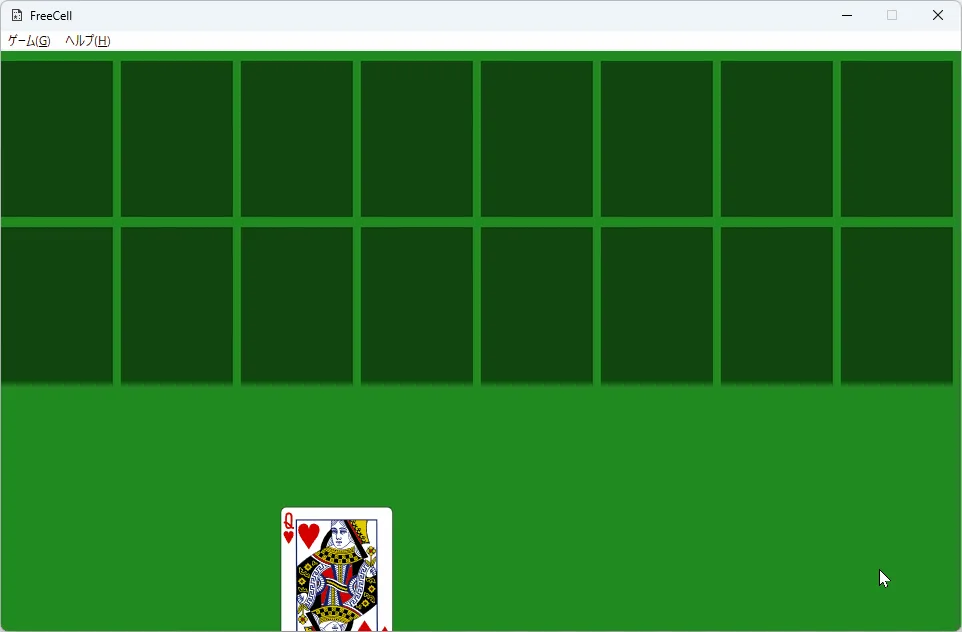
You can switch from a built-in Windows play habit into a desktop freecell without moving scores. Inbox statistics stay where Microsoft keeps them; the portable starts fresh on disk. Install FreeCell.exe from Freecell_1.0, prove one local deal, then decide whether the built-in board remains a fallback.
People switch when they want a named GitHub asset, a resizable window, or an MIT licence they can read. People stay on the inbox board when they only need a thirty-second deal and already trust the Microsoft path. Both answers are valid; this page covers the portable freecell move.
- Scores do not import into the portable exe
- Prefer the portable exe on the current release tag
- No winget id was found for this path
- Keep the inbox board until one portable deal works
What transfers and what does not
Deal numbers, win rates, and Store achievements from the inbox board do not transfer into this portable. There is no import dialog for Microsoft statistics. You start a new play habit on disk and keep the old numbers as history if you care about them.
What does transfer is skill. Free-cell moves, cascade stacking, and patience still apply. The fork adds a resizable window and embedded high-res cards, so the first session may feel slightly different even when the rules feel familiar.
Steps to switch
- Open GitHub Releases for ferrellsl/Freecell on tag the current release tag.
- Download the portable exe into a games folder you keep.
- Launch once and prove a short cascade deal with the mouse.
- Resize the window to confirm cards scale with the frame.
- Bookmark the Releases URL as the only update door.
- Leave the built-in the inbox board shortcut alone until you decide to remove it.
Longer Windows install: install on Windows. Comparison: vs the inbox board. First hour: installed.
Why people leave the inbox board
Inbox freecell is convenient, yet it ties some habits to Store accounts, updates you do not control, and art you cannot fork. A portable MIT freecell puts the binary in a folder you name and keeps source readable on GitHub. That matters for labs that pin exact filenames and for travellers who want one USB copy.
Adware portals that rank for cascade play searches are not a valid middle path. If the built-in board feels limited, jump to the portable exe from the current release tag rather than a Softonic wrapper that claims the same head term.
Keeping both for a while
Many desks keep both clients for a week. Use the portable when you want resize and offline certainty. Use the inbox board when a guest only knows the Microsoft icon. Write which path is official for demos so the room does not invent a third download mid-meeting.
When the portable habit sticks, remove unused downloads and keep one the portable exe. Uninstall of the portable is deletion; the inbox board uninstalls through Windows settings if you ever remove that too.
Common switch mistakes
- Expecting Xbox achievements inside the portable exe
- Downloading a second freecell from an advertising portal
- Skipping the first local deal and declaring the switch complete
- Inventing a winget id that was not found on the research date
Fix each mistake with one honest door, one proven deal, and one documented folder. Safety notes: is it safe. Download habits: download safe.
After the switch
Update by replacing the portable exe from the same Releases page when a newer tag appears. Copy the portable to a second machine only after the first cascade deal works. Cascade Quill publishes this switch guide; upstream remains the GitHub project under MIT.
Related: releases, GitHub, first run, home.
Family PCs should write the update door beside the OS version. Club laptops should keep a spare copy on USB only when the club agrees the portable exe is the official install path. Classroom images should prove one deal after every reimage before calling the machine ready.
If SmartScreen blocks the first launch, prefer the Releases URL you typed yourself over a second mirror. Unsigned portable tools often prompt once; a renamed portal setup is still the wrong answer for this client switch.